CertExams.com Simulator Lab Exercises Answers
Console Based :
Description: Set the router domain name. Go to N/W diagram and choose device R1.
Instructions:
1. Enter into configuration mode
2. Set domain name as mydomain.net
user@R1>configure
[edit]
user@R1#edit system
[edit system]
user@R1#set domain-name mydomain.net
[edit system]
user@R1#exit
[edit]
user@R1#
GUI Based :
Description: The lab exercise explains to set the router's domain name
Instructions:
1. Select device R1 from Select device drop down box
2. Click Configure button that enables left navigation pane
3. Select System properties -> System Identity.
4. The System Identity Configuration details screen appears click Edit button.
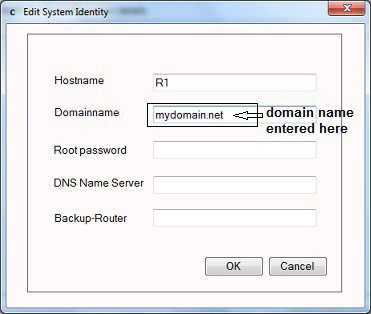
5. The Edit System Identity screen appear and in Domainname field enter domainname as “mydomain.net” and click OK button