CertExams.com Simulator Lab Exercises Answers
Description: This lab exercise demonstrates the usage of the
uplinkfast command on the switch.
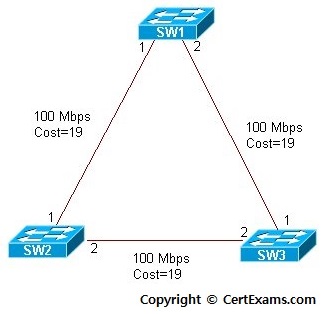
Instructions
1. Enter into the global configuration mode on the switch.
2. Use the command "Spanning-tree uplinkfast" to enable
uplinkfast feature on the switch and verify the same using show
command.
3. Use the no form of the above command to disable the uplinkfast on
switch and verify the same using show spanning-tree summary command.
SW1>enable
SW1#configure terminal
SW1(config)#spanning-tree uplinkfast
SW1(config)#exit
SW1#show spanning-tree summary
SW1(config)#no spanning-tree uplinkfast
Note: Uplinkfast provides fast convergence in the network access layer after a spanning-tree topology change using uplink groups. Enables fast uplink fail over on an access layer switch when dual uplinks are connected. When uplinkfastis enabled, it is enabled for the entire switch and all VLANs and note that this command is not allowed on root bridge switch. When UplinkFast is configured, the bridge priority is changed to 49,152 so that this switch will not be selected as root.





