CertExams.com Simulator Lab Exercises Answers
Description : This exercise concentrates on establishing a trunk-line between the switches. The command used to configure trunking is switchport mode trunk.
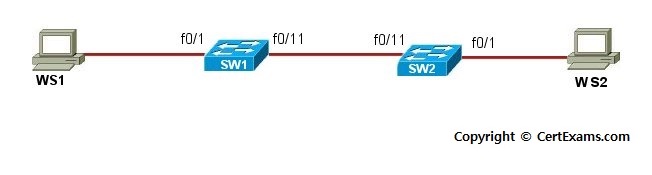
Instructions:
1. Connect to SW1 and configure fast ethernet interface fa 0/11 on the switch
2. Configure trunking on the switch by issuing command switchport mode trunk
3. Connect to SW2 and configure fast ethernet interface fa 0/11 on the switch
4. Configure trunk line on the switch by issuing switchport mode trunk command
5.
Configure WS1 with IP Address 192.168.100.1/24 and WS2 with IP Address
192.168.100.2/24
Note: Please refer to the CertExams.com Network Simulator software for complete lab with
commands.





